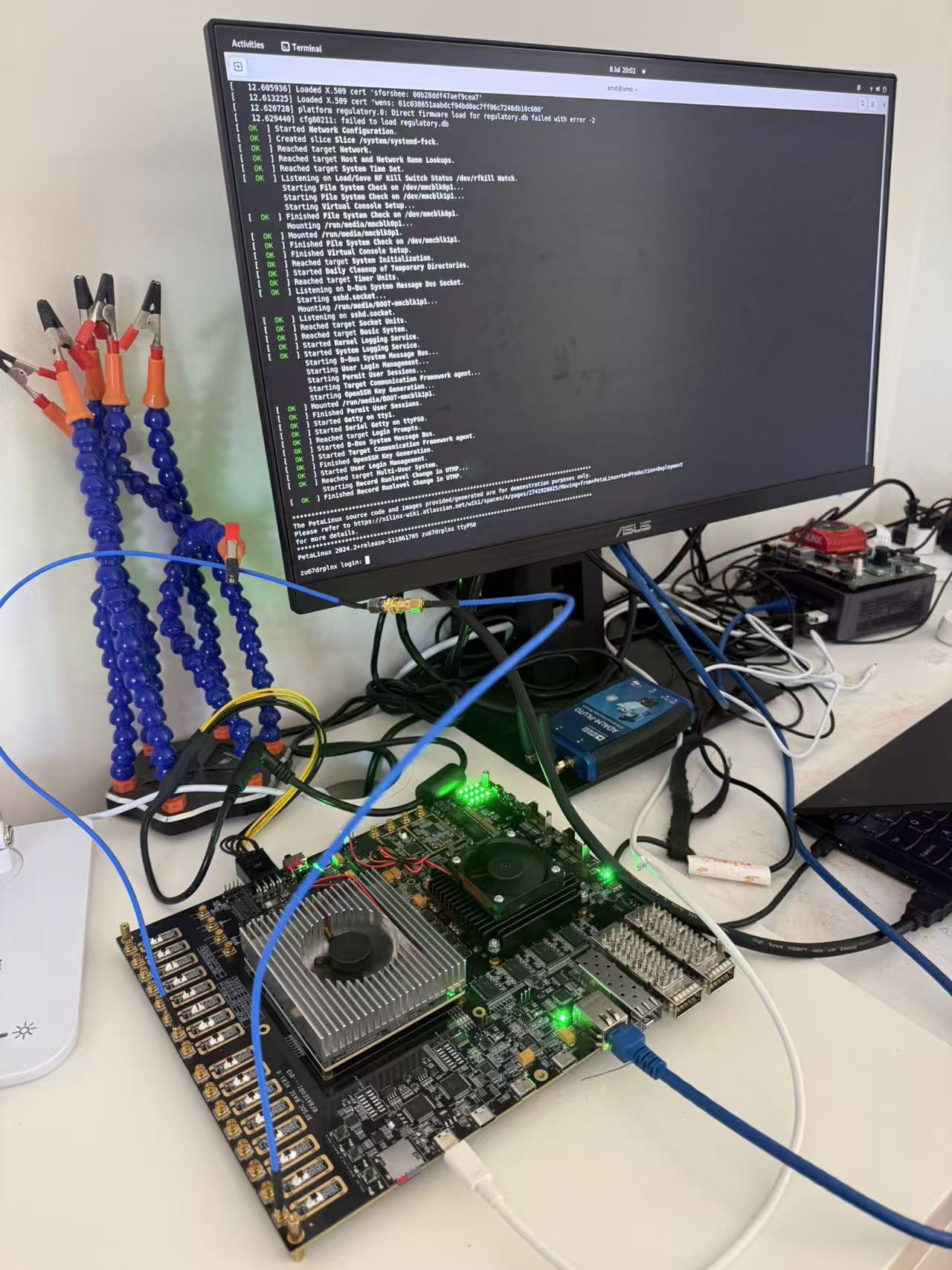
A trial board arrived on my bench with no operating system on it. It is a custom board built around two large AMD chips: a Zynq UltraScale+ RFSoC that pairs a quad-core Arm processor with programmable logic and radio, and a Kintex UltraScale FPGA beside it for extra logic. Capable hardware, and completely blank.
Getting a real Linux running on a board like this is normally a week of careful, one-step-at-a-time work. You verify each piece of the board before you trust the next, then build a kernel, package it, write a card, and coax it through boot. This time I gave the direction and let an AI do the hands-on work. It finished in a day: a login prompt on the console, and ssh from another machine.
Not straight to Linux
The tempting move is to jump to the end, install Linux, and debug whatever breaks. On an unfamiliar board that is the slow way, because when something fails you cannot tell whether the thing you just added is broken or the ground underneath it was never solid.
So the AI did not start with Linux. It climbed a ladder, one rung at a time, and left a log and a reading on each rung before moving up.
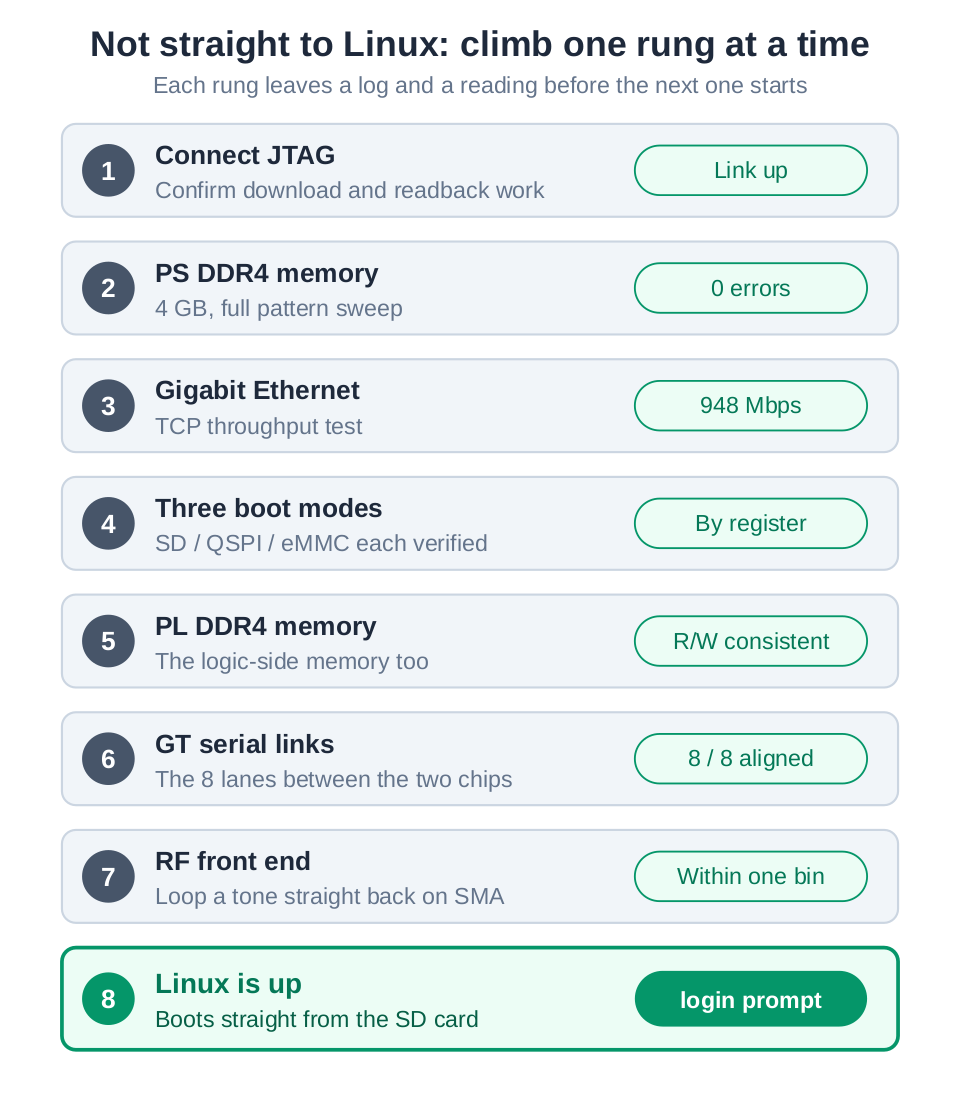
It connected over JTAG and confirmed it could load and read back. It swept the 4 GB of processor memory and got zero errors. It ran a throughput test over the gigabit link and measured it near line rate, 948 Mbps. It checked the three ways the board can boot, the memory on the FPGA side, the high-speed lanes that tie the two chips together, and the radio front end. Only after the foundation was proven did Linux go on top.
Building the system
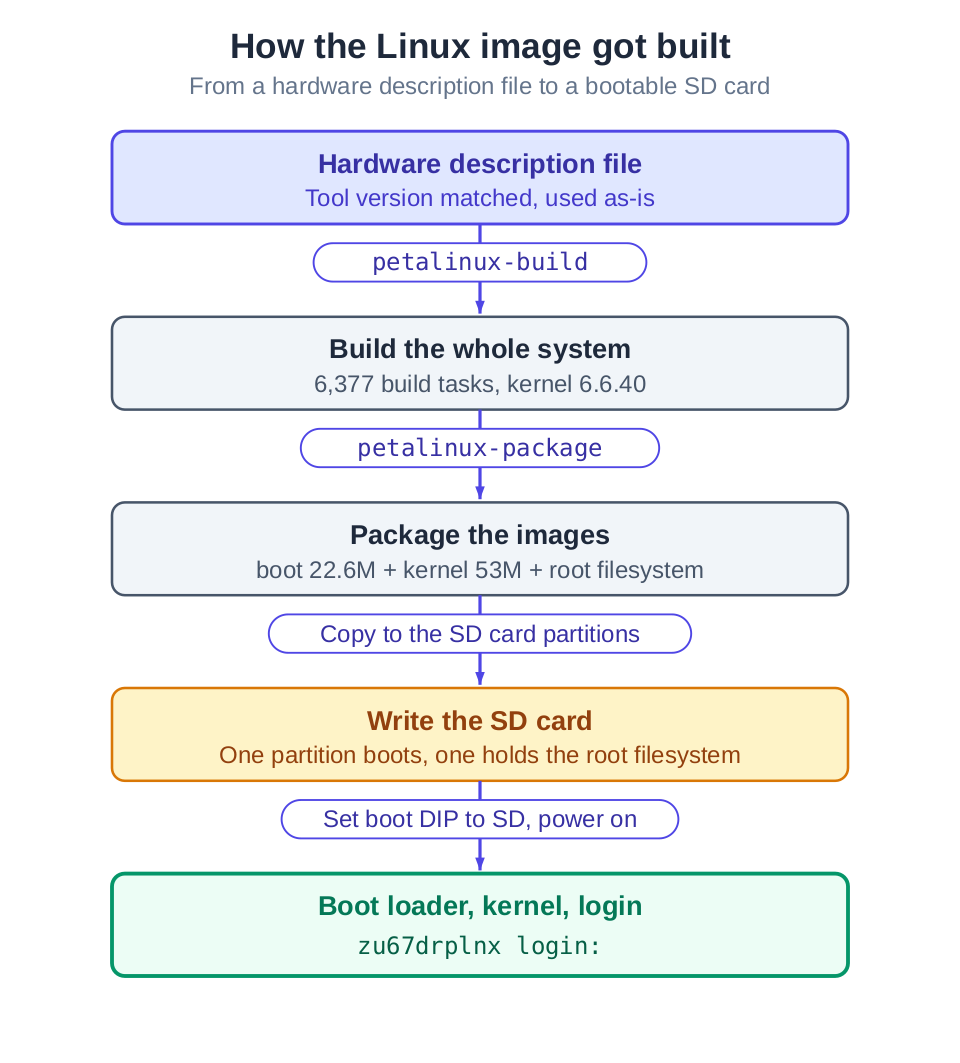
With solid ground under it, building Linux was mechanical. Start from the board’s hardware description, build the whole system, package it into a boot image, a kernel image, and a root filesystem, and write those onto an SD card. Flip the board to boot from the card, power on, and watch the console.
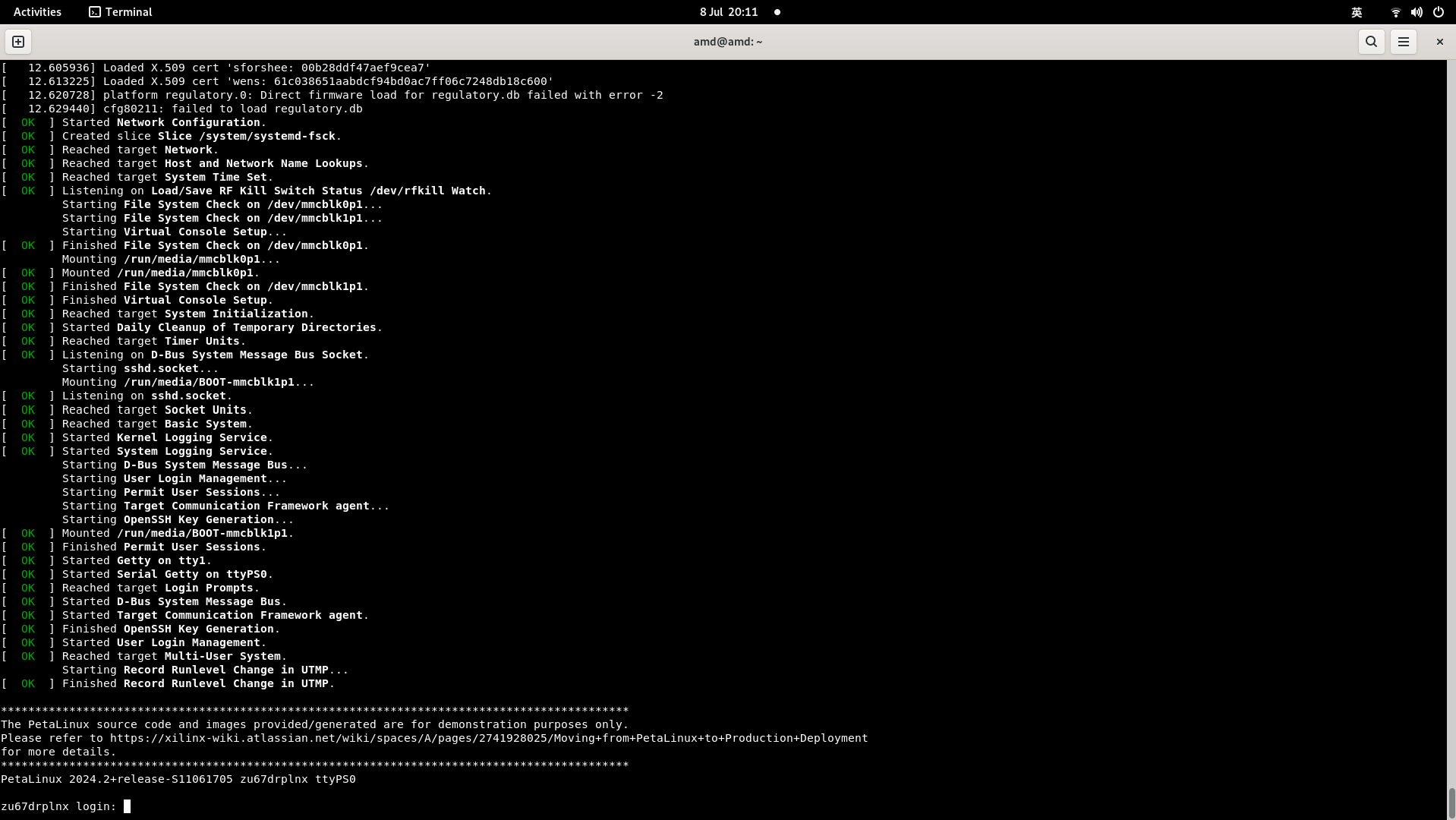
It came up. The kernel started, the boot log scrolled past, and it stopped at a login prompt. Log in, bring up the network, and ssh connects from across the room. A blank board had become an instrument you can log into remotely.
The part worth dwelling on
The interesting part was not the happy path. It was the potholes, and how the AI got past them.
It never guessed. When it was not obvious which boot mode a set of switches had actually selected, it did not read the label and hope. It read the register inside the chip that records the boot mode, and took that as the truth. When the first boot came up on the wrong root filesystem and quietly masked the real one, it traced what had actually mounted and remounted from the right place.
That is the habit that made a day possible: read the machine’s real state, do not assume it. Documentation and labels describe what should be true. A register tells you what is true.
Why it matters
None of the individual steps here are hard. What makes the difference is the order and the discipline: prove each layer before you build on the next, and settle every question by reading the machine instead of guessing. That is exactly the kind of patient, verifiable work that is easy to describe and tedious to do, which makes it a good fit for an AI that will actually carry it out step by step and show its evidence.
I gave the plan. The AI connected, tested, read registers, built, flashed, read the boot log, fixed what broke, and did it again. A blank board to a login prompt, in a day.
Notes
- Hardware: a custom board pairing an AMD Zynq UltraScale+ RFSoC (XCZU67DR) with an AMD Kintex UltraScale FPGA (XCKU115), linked by eight high-speed serial lanes. The RFSoC carries eight receive and eight transmit radio channels.
- Linux runs on the RFSoC’s quad-core Arm processing system, built with PetaLinux 2024.2 (kernel 6.6.40).
- Numbers cited, a zero-error sweep of the 4 GB processor memory and a gigabit link measured at 948 Mbps, are readings taken on the board during bring-up.